

Requesting Equipment
Before you contact us, determine what equipment is needed. You may want to physically check the classroom, or contact us to check our inventory and identify what is in your classroom. Nearly all classrooms will already have a projection system and a computer with internet. Equipment requested for offsite events will likely need proper approval forms signed by your department chair, prior to pickup.
To place your equipment request or obtain equipment request forms call the HelpCenter (480) 461-7217.
Please have the Room Number, Event Title, Responsible Party, Delivery Time, and Pickup Time when ready to place the order. Orders should be placed at least 24hrs in advance. . Although our inventory is extensive, occasionally all units may be in use. In that case, orders are filled by request date, which is why we recommend you notify us in advance. We are not in the policy of placing 'Standing Orders' (orders for an entire semester). If available, instructors may reserve equipment for up to two weeks at a time, as needed throughout the semester. To ensure that you have the right equipment for your presentation, feel free to contact one of our technicians to discuss your needs. Please speak with your department about installing new equipment permanently in classrooms, if you require it for the entire semester. After your order is placed with Media Services it will be entered into our database and delivered to your classroom at the time specified. If your equipment is for an offsite event, it will likely be delivered to the HelpCenter for you to pickup and return there.
Equipment Available
The following equipment is available for checkout. If a technology you need is not listed here, contact us and we will see what we can do to accommodate your request.
- LCD Projector
- Large or Small Flatscreen Monitor
- Document Camera
- Digital Flip Video Camcorder (Limited supply)
- Digital Still Camera (Limited supply)
- DVD/VCR/Display cart
- Speaker (Not rated for live music)
- Microphone System (Wired and Wireless)
- Flip Chart Easel, Small Whiteboard (No paper or markers)
- Projection Screen
- Polycom Teleconferencing Units (Call for details and scheduling...)
Telecommunications
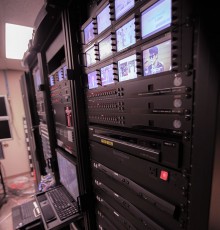
The MCC telecommunication systems at Media Services encompass everything from campus cable TV,digital conferencing, streaming video, satellite communications, and more. Please contact the main office with any specific telecommunication needs that might arise.